Myseum
The project aims to help people with hoarding symptoms improve their living conditions and get rid of their old meaningless possessions. Based on psychological therapy, the project uses VR, AR and Artificial Intelligence to assist users to build a cloud personal museum and encourage communication between users.
Key words: Hoarding Symptoms, Psychotherapy, Virtual Reality, Artificial Intelligence
Time
2022
Type
Service Design
Team
Individual
/ Background
Worsening Hoarding Symptoms
In an age of excessive consumerism and limited living space, many people are struggling with cluttered and overcrowded homes due to compulsive hoarding behaviors.
According to research, approximately 86% of individuals exhibit varying degrees of hoarding tendencies. They often hold on to items that are no longer practically useful but carry deep emotional value. Over time, these accumulated possessions disrupt their daily lives. As a response, the minimalist lifestyle concept of “decluttering” has gained popularity—related hashtags on social media have reached over 500 million views. However, many people still find it emotionally difficult to part with memory-laden belongings.
*This project focuses on individuals with mild hoarding tendencies who have not developed clinical mental disorders. Those with severe symptoms are advised to seek professional psychotherapy.
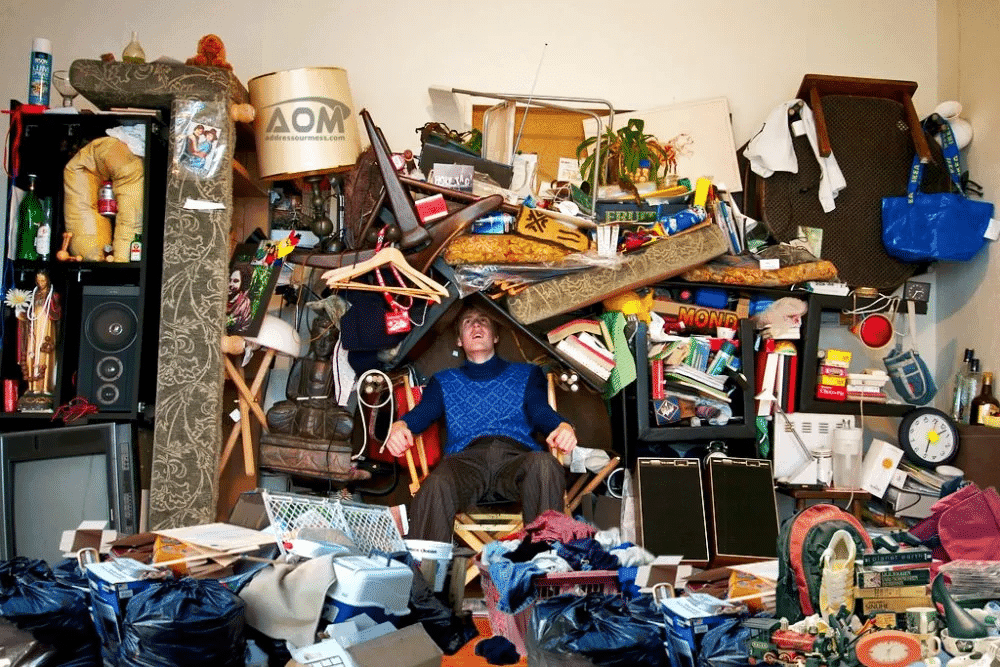
A hoarder’s home
Harms of Hoarding Symptoms
Spatial Impact: Accumulated items take up living space, make rooms messy, reduce motivation to tidy up, and lower quality of life.
Psychological Impact: Hoarding overstimulates the brain, increases stress, may lead to depression, and makes it harder to focus and make decisions.
/ User Research
I began with an online survey, which revealed that many people find it difficult to part with their old belongings. Based on the results, I analyzed the emotional responses involved and conducted interviews with individuals who practice decluttering to better understand their motivations and challenges.
Emotional Ties to Items
What old items do you keep, even though they are no longer useful, because they are hard to let go of?
📱Old Mobile Phone
🧸Stuffed Toys
🐷Piggy Bank
The Moment of Letting Go
How do you feel when you have to throw away these old items?
Upset
Reluctant
Afraid
Struggled
Guilty
Sad
Hesitate
Restless
Frustrated
Anxious
Fearful
Interview
I interviewed people's attitudes towards old meaningless items and the way they deal with them.
📸 Take a Photo as a Keepsake
👭 Share with Friends
🗄️ Store Them Away
📱 Post on Social Media
"I'm a nostalgic person, but frequent moves make it hard for me to keep all the memory-filled items. So I take photos and document the stories behind them."
"I take photos of these items and share them with my friends. Sharing makes it easier for me to let go."
"It's hard for me to give up old items that carry stories. I have a dedicated cabinet for them—and I even wish I had a bigger storage space."
"I share them on social media. When I see others have the same old items, it gives me a warm feeling."
Female, 25
Male, 24
Female, 29
Male, 34




Some old items, though no longer useful, take up valuable living space.
However, people are emotionally attached to them, making it difficult to let go.
When these cherished items are thrown away in haste, people feel they haven’t been properly respected, which creates discomfort.
Following the user research, I identified the key reasons behind people's emotional attachment to old belongings.
A sense of abandonment
Fear of forgetting
There is a fear that once separated from these objects, the memories associated with them might also fade away.

/ Key Insights
/ Psychology-Based Design
To explore why people find it hard to discard old items, I consulted a psychology expert and gained insights into theoretical approaches for addressing the issue.
Why it is so hard to let go of old belongings?
The difficulty often stems from deeper psychological factors such as insecurity and separation anxiety.
Insecurity arises from unmet emotional needs, while separation anxiety is rooted in a fear of abandonment.
Driven by these feelings, individuals tend to hold tightly to their old possessions in search of a sense of control and familiarity. These items act as a psychological buffer to cope with loneliness and a lack of emotional support.
Psychological approach to letting go
1 Face It
Confront the object directly, recalling the memories and emotions associated with it.
3 Talk to It
Engage in an imagined dialogue with the item and document what is said.
5 Say Goodbye
A ritualized farewell—letting go of the item and focusing on the present and future.
4 Share It
Sharing the dialogue and the story with others becomes a way to release inner emotions and gain strength.
2 Feel It
Fully experience those emotions and imagine having a conversation with the item.
1 Face It
Confront the object directly, recalling the memories and emotions associated with it.
3 Talk to It
Engage in an imagined dialogue with the item and document what is said.
5 Say Goodbye
A ritualized farewell—letting go of the item and focusing on the present and future.
4 Share It
Sharing the dialogue and the story with others becomes a way to release inner emotions and gain strength.
2 Feel It
Fully experience those emotions and imagine having a conversation with the item.
/ Concept Statement
AI-Assisted AR & VR Workflow for Preserving Personal Memories
This diagram outlines a technology-supported system that helps users preserve emotionally meaningful items using AR, VR, and AI. The process begins with an personalized AI-assisted farewell guide that helps users navigate the emotional detachment process. Users can either send their items to a professional AR scanning service or scan the objects themselves using AR tools. Finally, the item is stored and exhibited in a personal VR museum, where users can revisit and share these memories in an immersive environment.
1 Design a guide to
help bid farewell
3 Create a personal VR
museum where objects can
be exhibited and shared
2 Or the users scan the items by AR and saved in 3D
2 Courier it to a
professional AR scanner
A Digitally-Supported Farewell Based on Psychological Process
This diagram illustrates a complete user journey designed to help people part with emotionally significant objects through digital support, based on the psychological path of Face it – Feel it – Talk to it – Share it – Say Goodbye. Users begin by booking a session via an app and receiving a farewell guide. They can then either scan the object using AR technology or send it to a professional AR scanning service. The object is preserved as a 3D item and stored in a personal VR museum. Through this emotional and immersive process, users are able to retain memories while letting go physically, enabling emotional closure and healing.
Face It
Feel It
Say Goodbye
Talk to It
Share It
VR
AR
APP
Guide
Express
Museum
(Community)
Date
Place an order
Professional AR
3D Items
Visit
/ Design Statement
User Journey
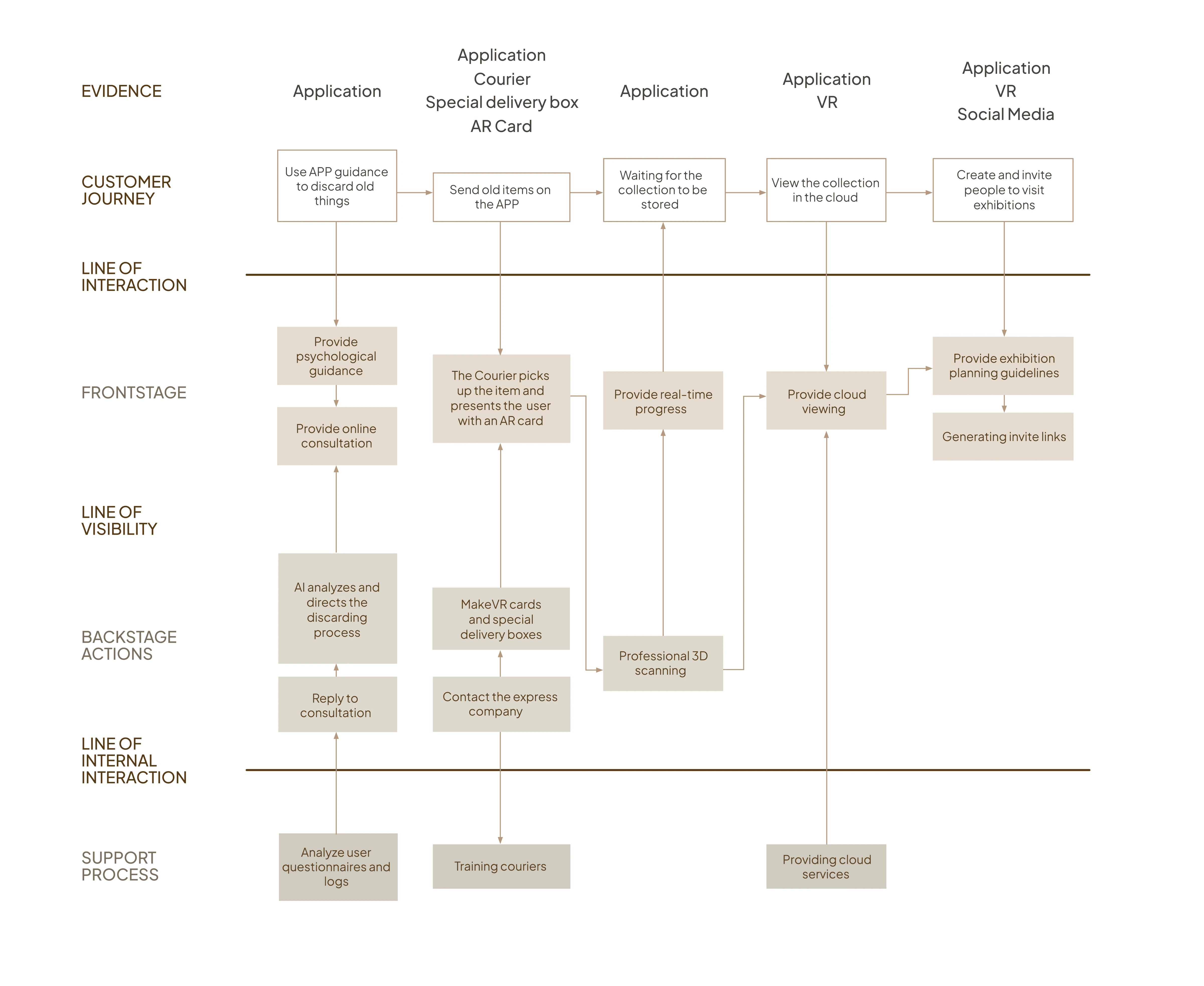
The entire process revolves around an exhibition of old personal items and is divided into three stages: item preparation, exhibition planning, and exhibition viewing.
During the item preparation stage, users follow prompts in the app to fill in information about their old items and reflect on letting them go. They can then choose to either 3D scan the items using their phone or mail them in to be professionally scanned, with the 3D models stored in a cloud-based digital warehouse.
In the exhibition planning stage, users can browse the warehouse using VR headsets or view 3D models on their phones. They can collect favorite items, curate their own exhibition layout, and share it with others.
Finally, in the exhibition viewing stage, users immerse themselves in a virtual exhibition experience using VR equipment.
Old things do not give up
Use APP guidance to discard old things
Send old items on the APP
Professional 3D scan
3D scan with your phone and store it in the warehouse
After the scan, the old items appear in the cloud warehouse.
Put on the VR and check in the warehouse
View the 3D model on your phone
Collect exhibits you like
Planning exhibition
Share your own exhibitions
Visit the exhibition in VR
Stage 1: Exhibits Preparation
Stage 3: Visit Exhibition
Stage 2: Exhibition Preparation
Service Blue Map
/ Final APP Design
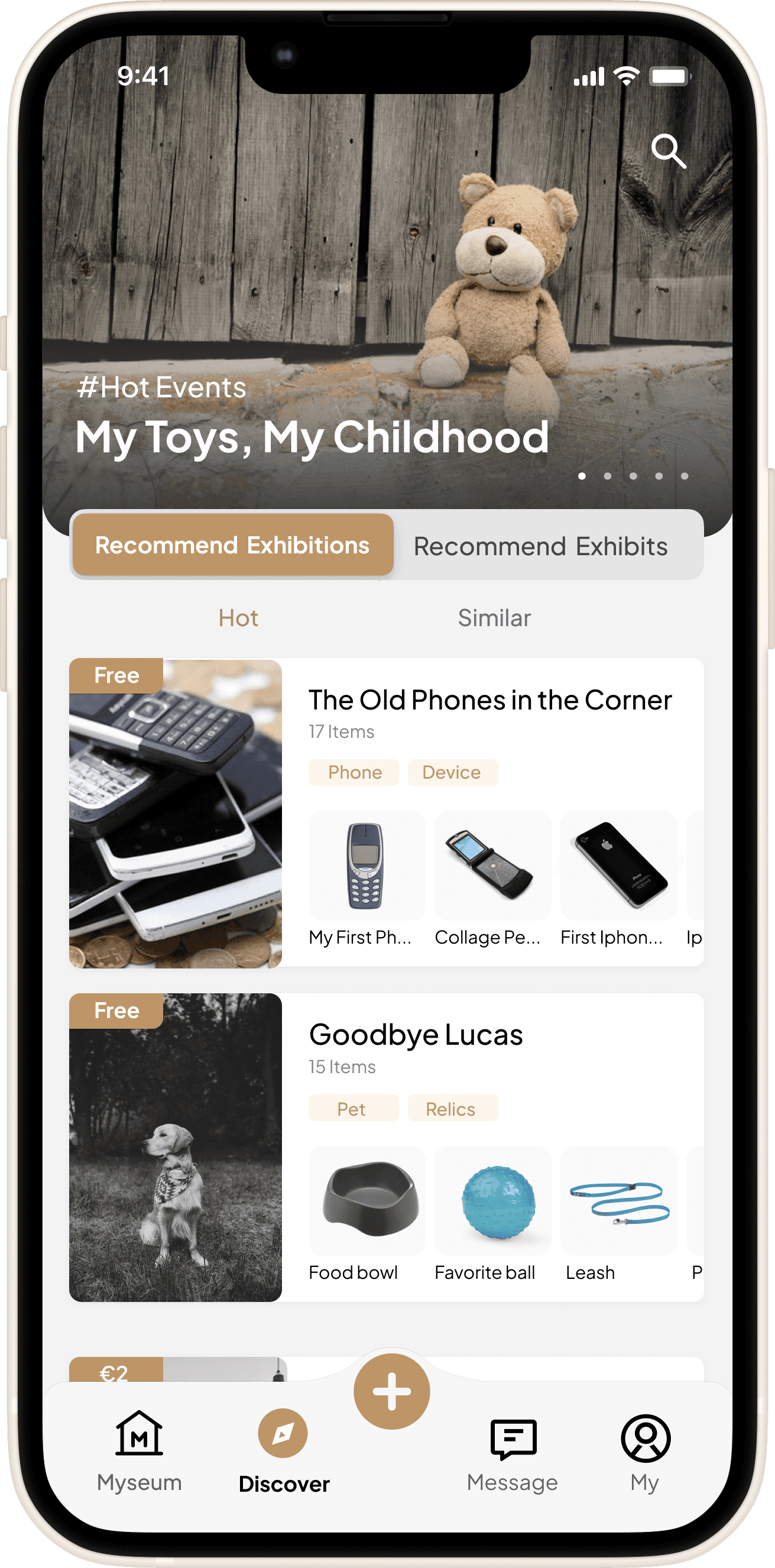
The Discover page serves as the main entry point for users to explore exhibitions and items. At the top, a search bar and a rotating banner highlight trending events and featured themes. The central section presents personalized recommendations, allowing users to switch between “Recommended Exhibitions” and “Recommended Items,” with filters like “Hot” and “Similar” for tailored browsing. A bottom navigation bar provides quick access to key sections of the app.
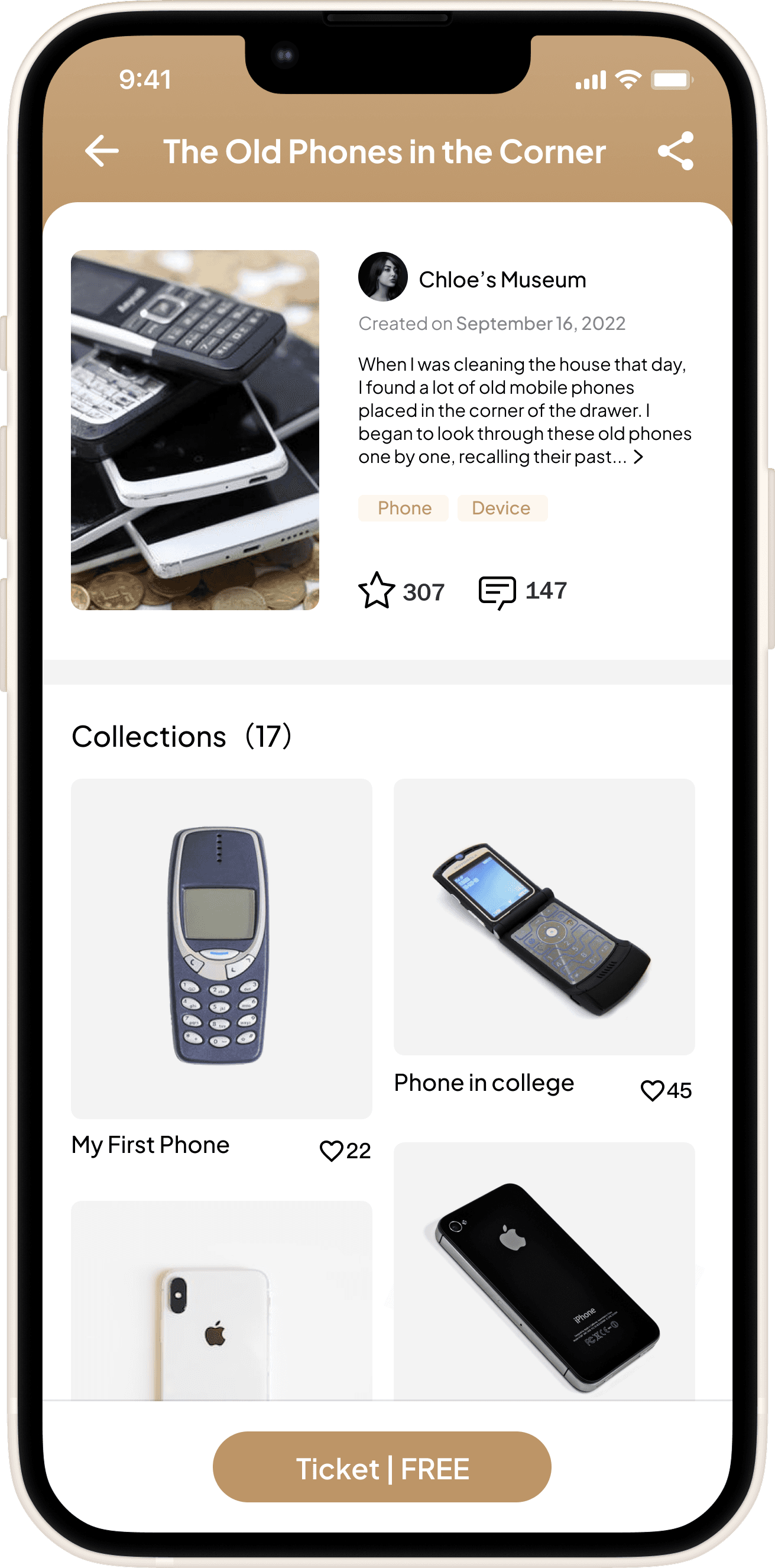
This page shows the exhibition’s basic info and story, with tags, likes, and comments to quickly show its background and popularity. Below are thumbnails and titles of key . Ticket details are clearly listed at the bottom.
Discover (Homepage)
Exhibition Detailed Page
Recommendations
The system recommends exhibitions and items based on user interests for better browsing. Users can switch between “Recommended Exhibitions” and “Recommended Items,” and filter by “Hot” or “Similar.”
Exhibition Information
Exhibition info section displays the cover image, title, creator details, and story overview, along with tags, likes, and comment counts to help users quickly understand the exhibition’s background and popularity.
Collections Information
The Collections section highlights key exhibits through thumbnails and titles, visually showcasing their unique features.
Ticket Information
The ticket information area displays the exhibition’s pricing and details. Users can click to easily access or purchase tickets.
Search
A persistent search bar at the top allows users to quickly find exhibitions, items, or related keywords.
Banner Carousel
Highlights current hot events or themed exhibitions to boost visibility and encourage exploration.
Exhibition Card
Each exhibition card shows a cover image, title, item count, category tags, and sample exhibits. It also clearly states if the exhibition is free or paid, helping users quickly decide if it’s relevant and accessible.
Bottom Navigation Bar
The bottom navigation has five main sections: Myseum, Discover, Add, Message, and My Profile. The central “+” button is highlighted to draw attention and encourage users to upload and create.
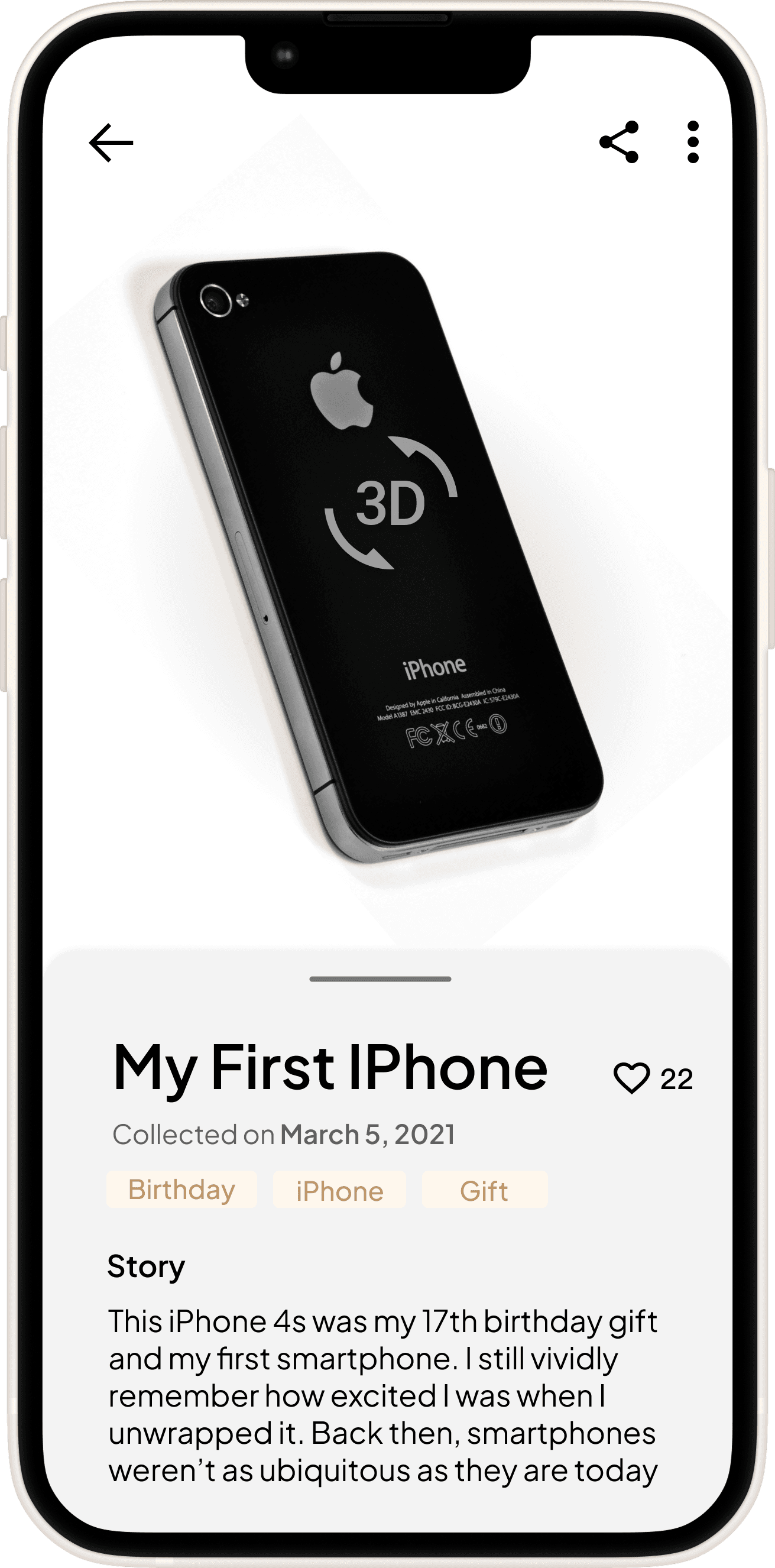
On this page, users can view detailed information about the Collection, click to explore the 3D model, and scroll down to discover related stories and like them.
Collection Information
Display detailed information about the exhibits, including name, collection time and the story behind them.
Collection Detailed Page
3D Model
Users can click to view the interactive 3D model of the Collection for a more vivid and intuitive experience.
Share
Users can easily share interesting Collections on social media to increase visibility and engagement.
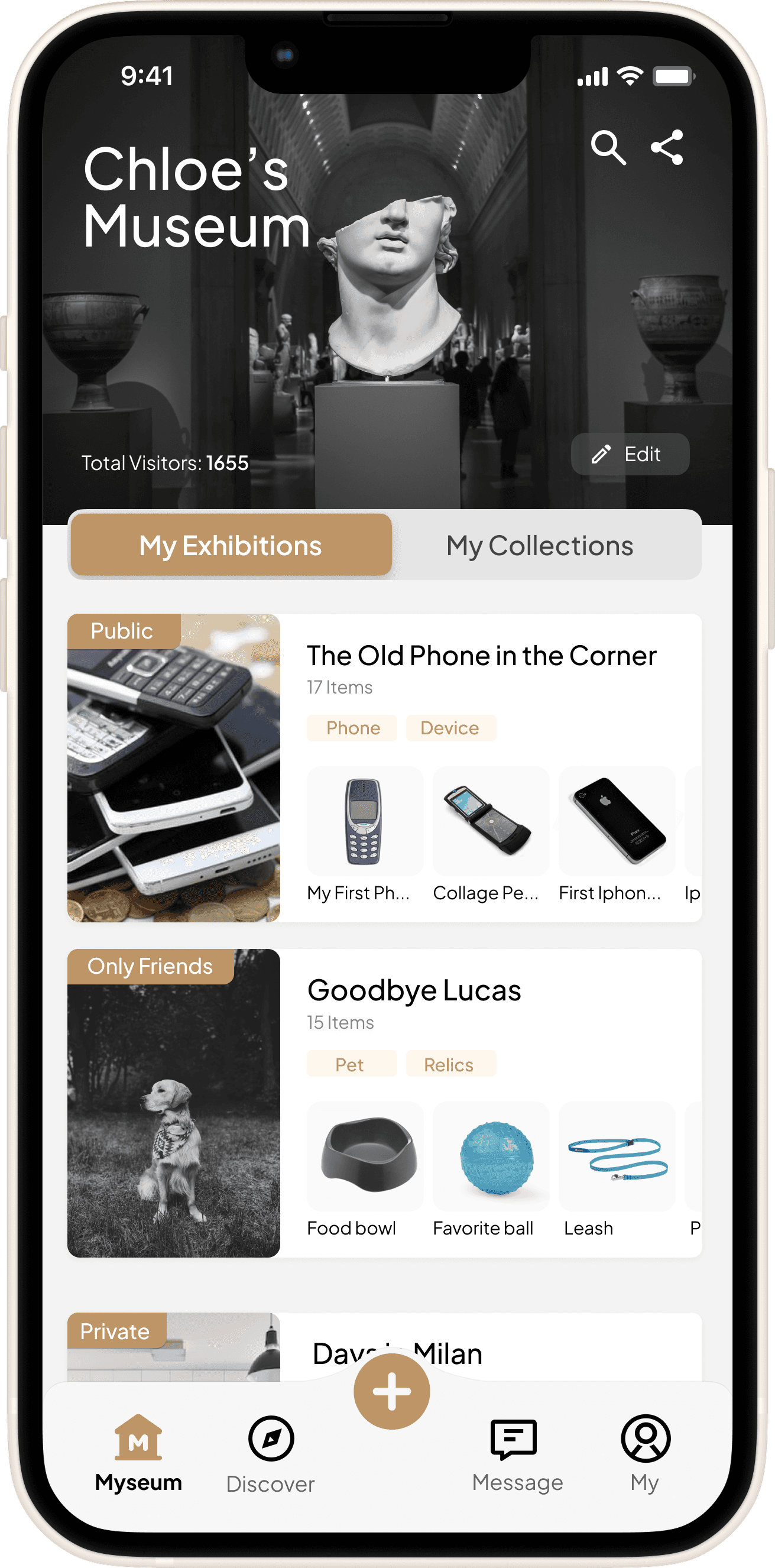
On this page, users can view and manage their museum’s exhibitions and items, with options to edit them as needed.
My Museum Page
Museum Information
This part displays the museum’s name and visitor count. Users can edit museum details and display images, and easily share their museum with others.
Exhibition Information
Each exhibition displays a cover image, title, number of items, category tags, and representative exhibits for a quick overview.
/ Final VR Design
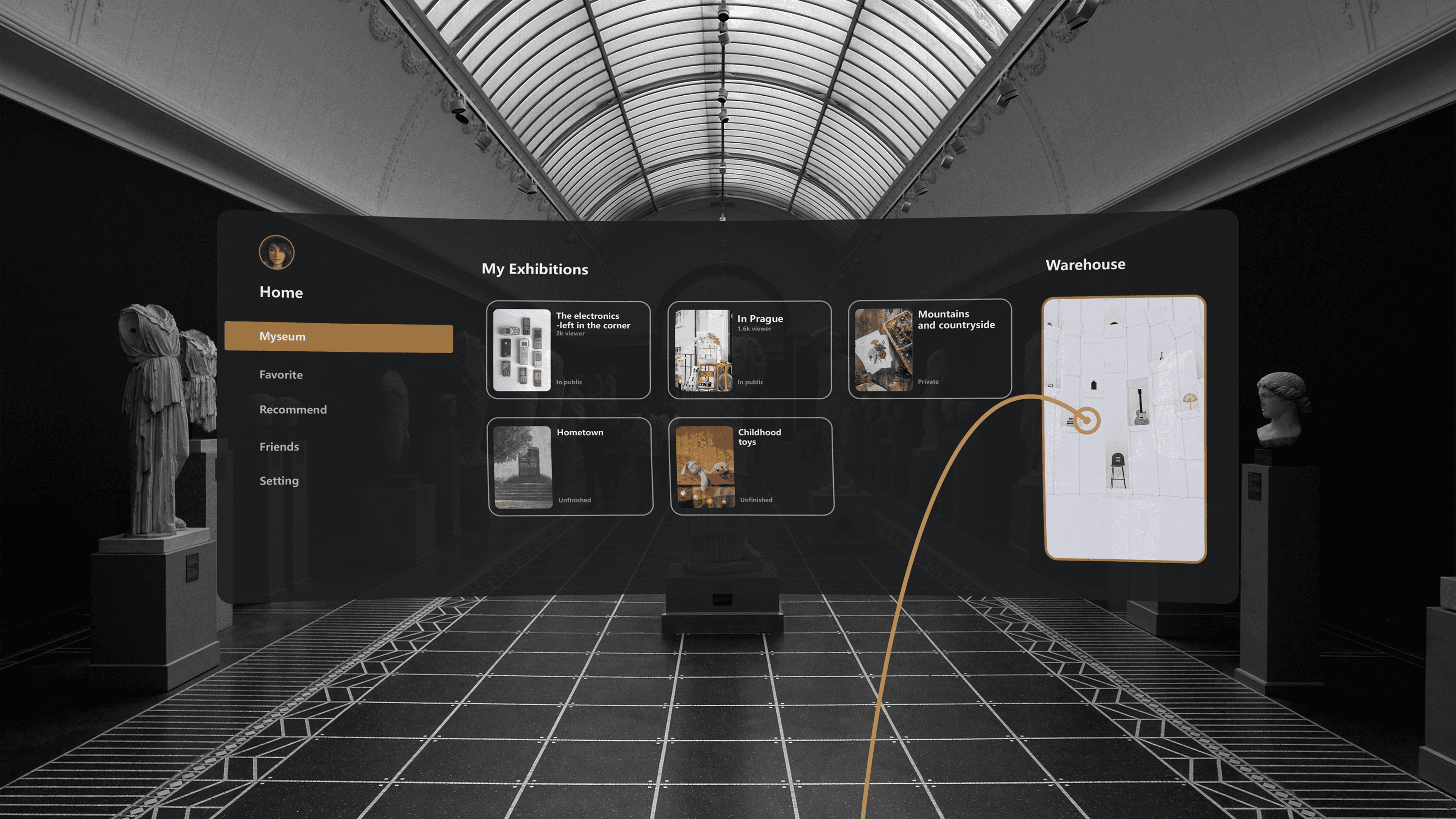
Dashboard
This is the gateway to the AR world. From here, users can explore their published virtual exhibitions, enter editing mode to curate personalized displays, and access their personal Warehouse to manage exhibition items. The dashboard also allows users to adjust system settings, manage account details, and keep up with friend activity—offering complete control over their virtual museum experience.
Exhibition Visiting
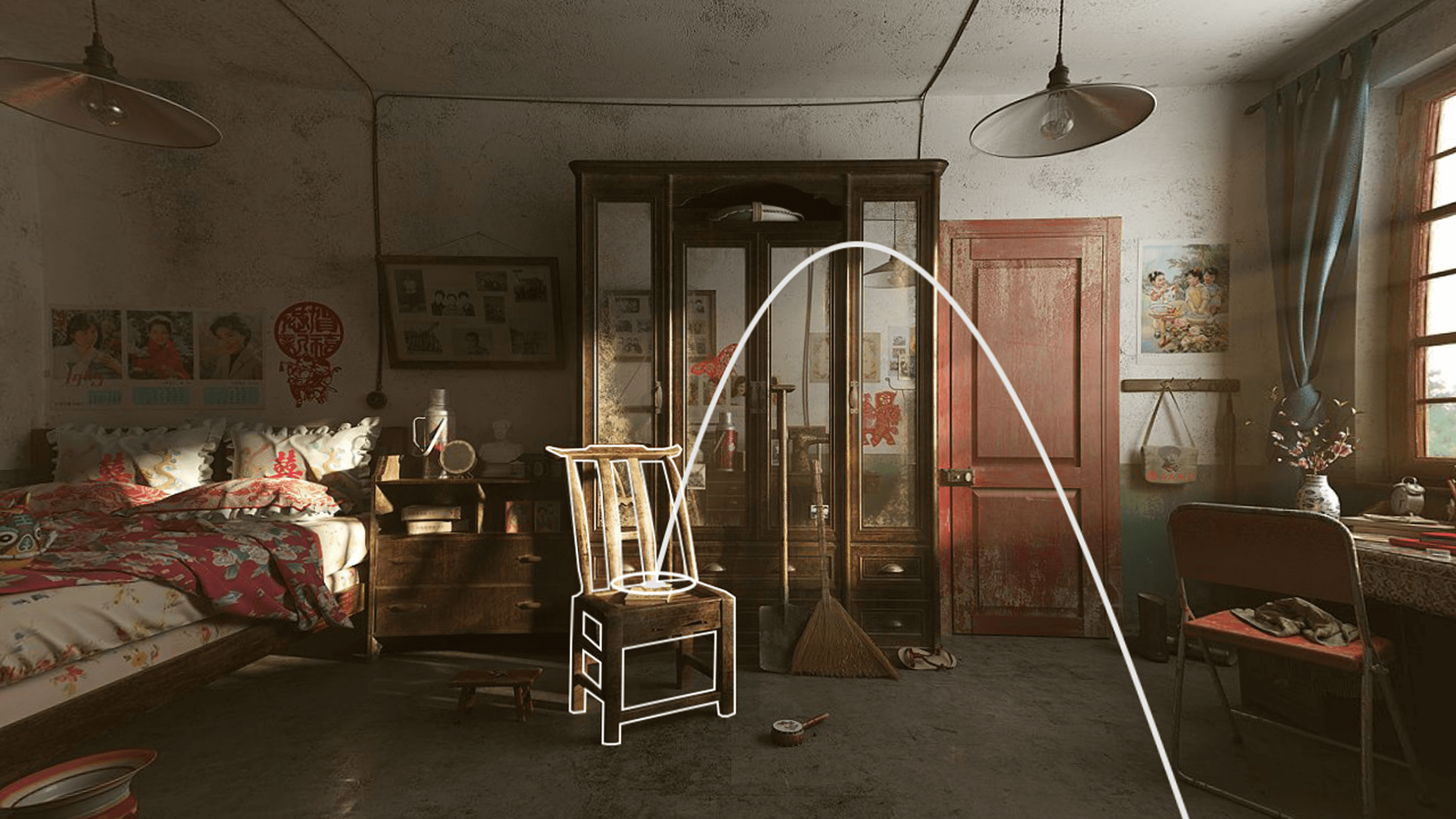
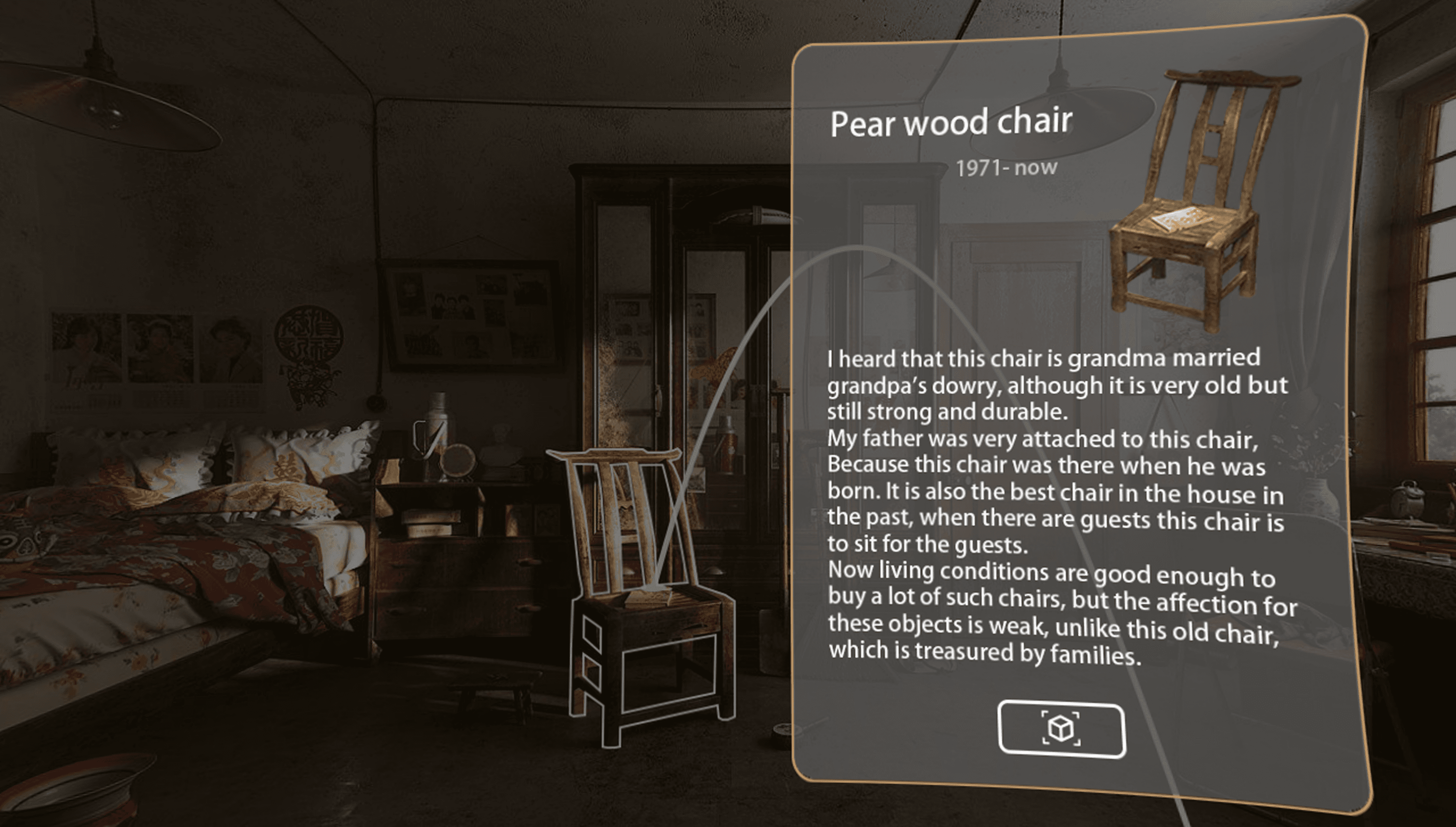
Users can explore their own exhibitions in an immersive, first-person VR experience—walking through virtual spaces they’ve personally designed, surrounded by carefully arranged exhibits, lighting, and narrative elements.
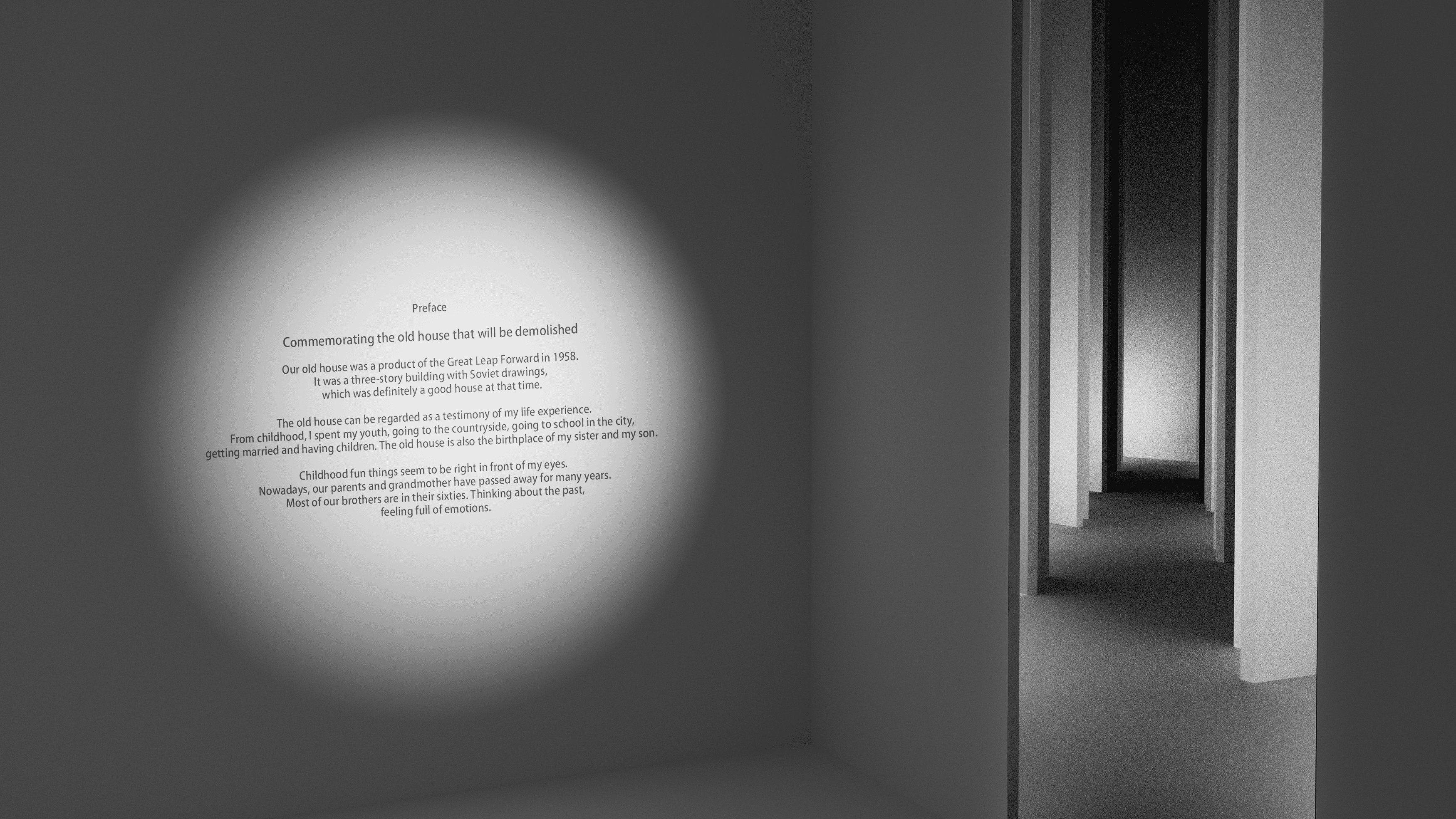
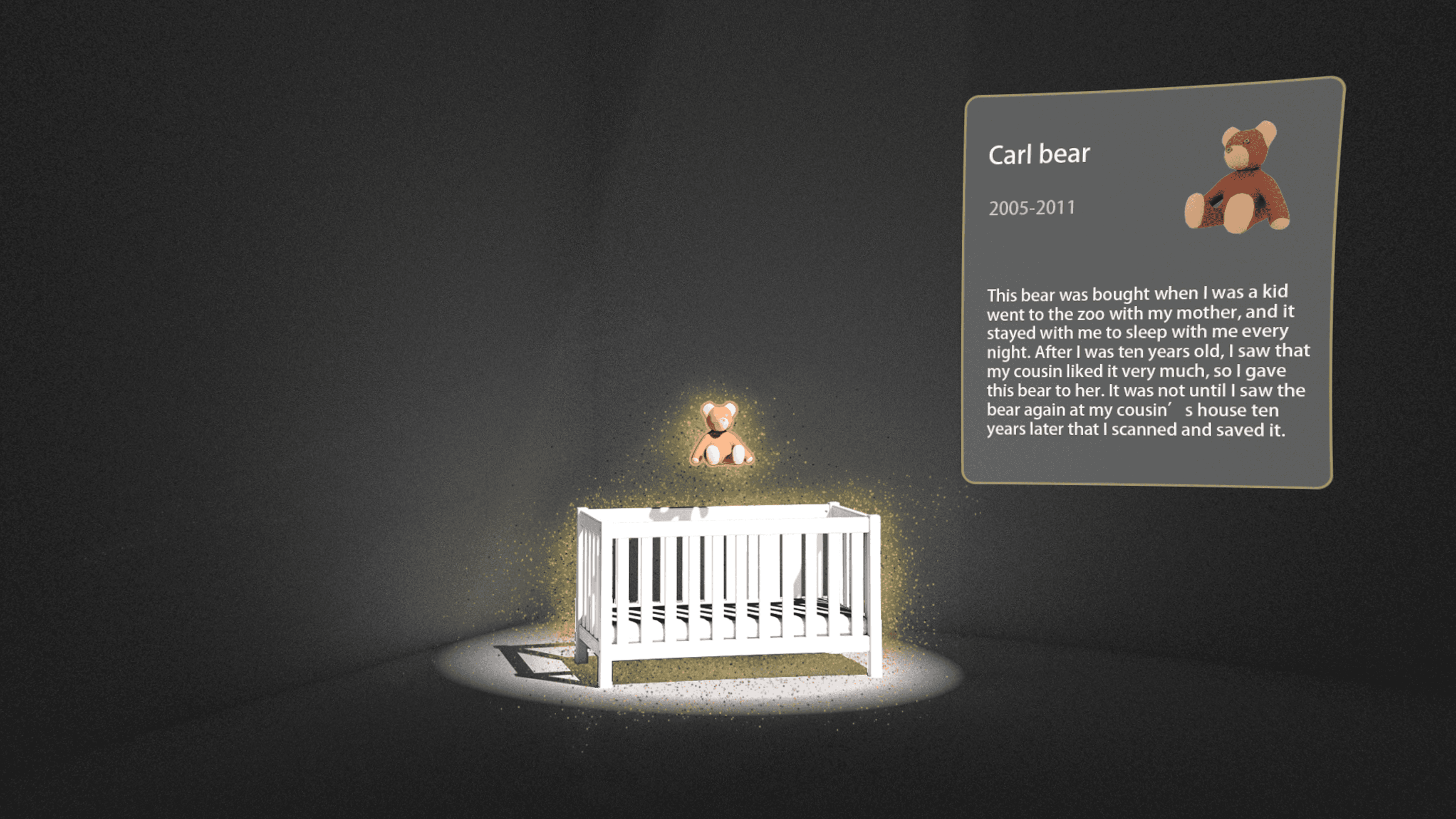
In addition, users can scan physical spaces—such as rooms, apartments, or studios—and transform them into customized exhibition environments. For example, one user scanned their old home before moving out, using the familiar space to create a deeply personal and immersive exhibition. This fusion of real-world environments with virtual storytelling makes each exhibition not only a visual experience but also an emotional journey—turning memories and spaces into meaningful curatorial expressions.
Warehouse
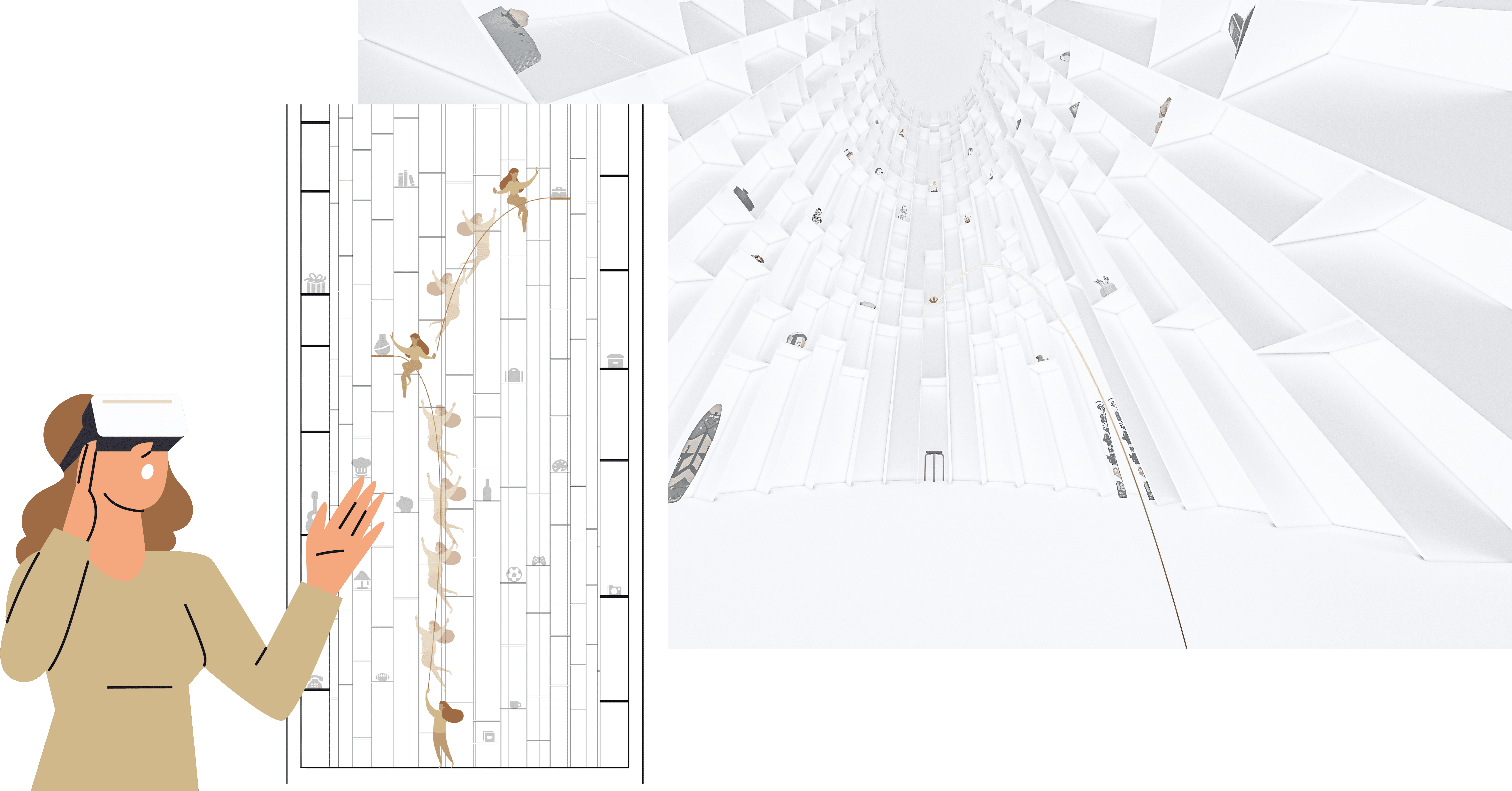
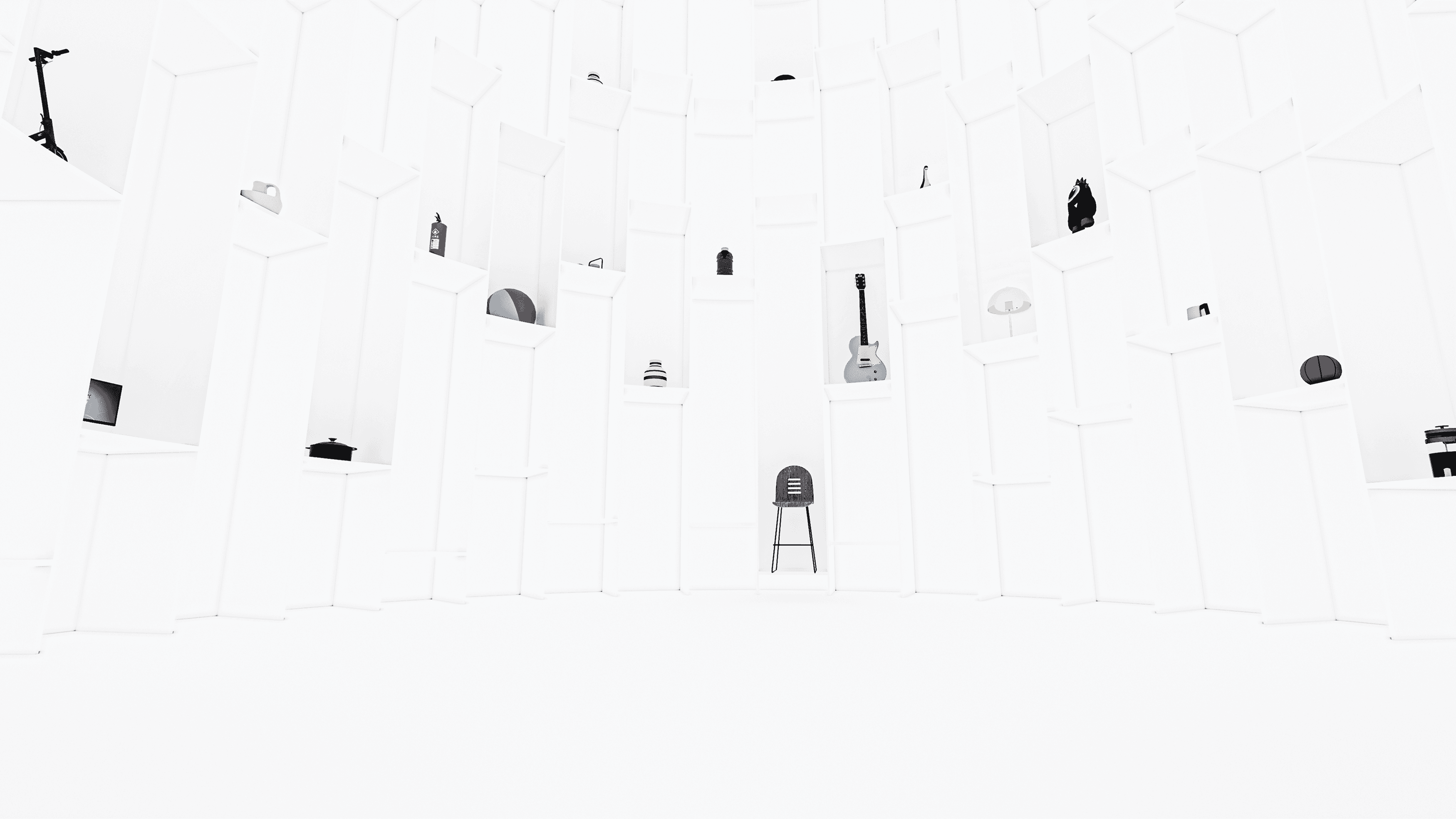
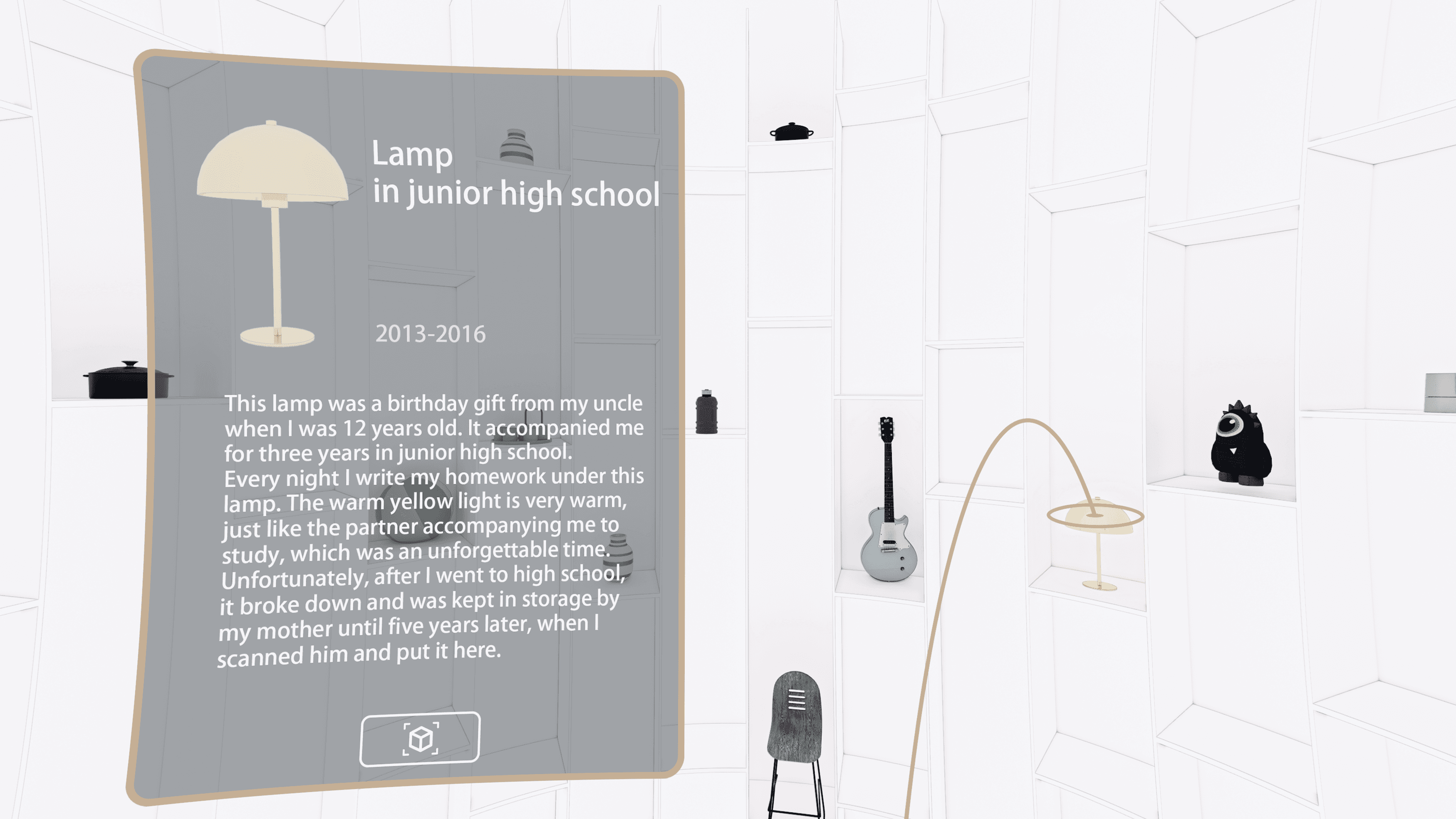
The Warehouse is a personalized, immersive space where users can view, organize, and edit their collected items. Designed as a vertical, cylindrical structure, the Warehouse allows users to explore their collections by “ascending” through the space—an intuitive gesture that symbolizes a journey through layers of memory and meaning.
Each item appears as a floating object, image, or icon, inviting interaction and reinterpretation. More than just a storage area, the Warehouse serves as a creative playground—an inspiring environment where new exhibitions are born and personal narratives are rediscovered.
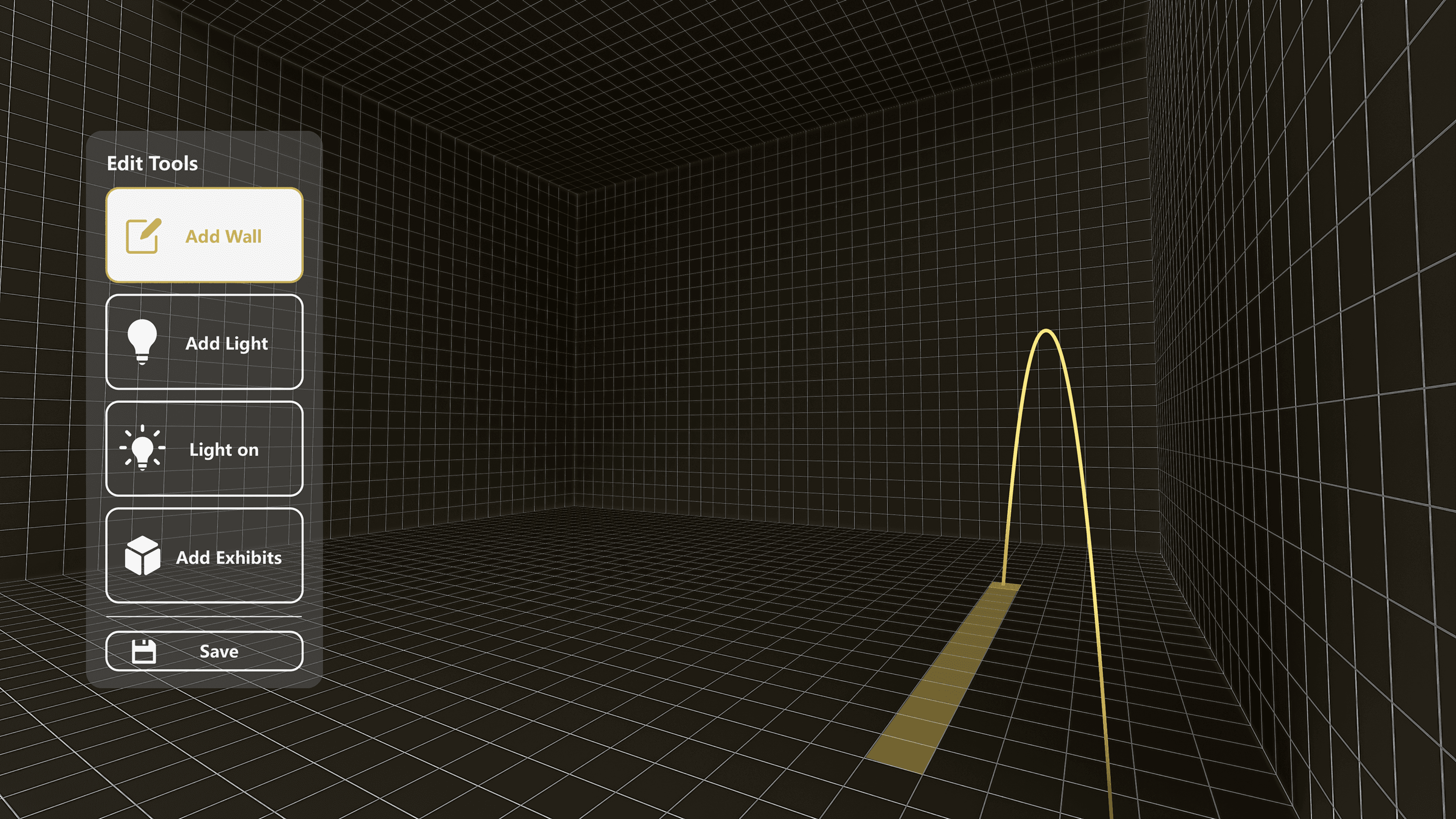
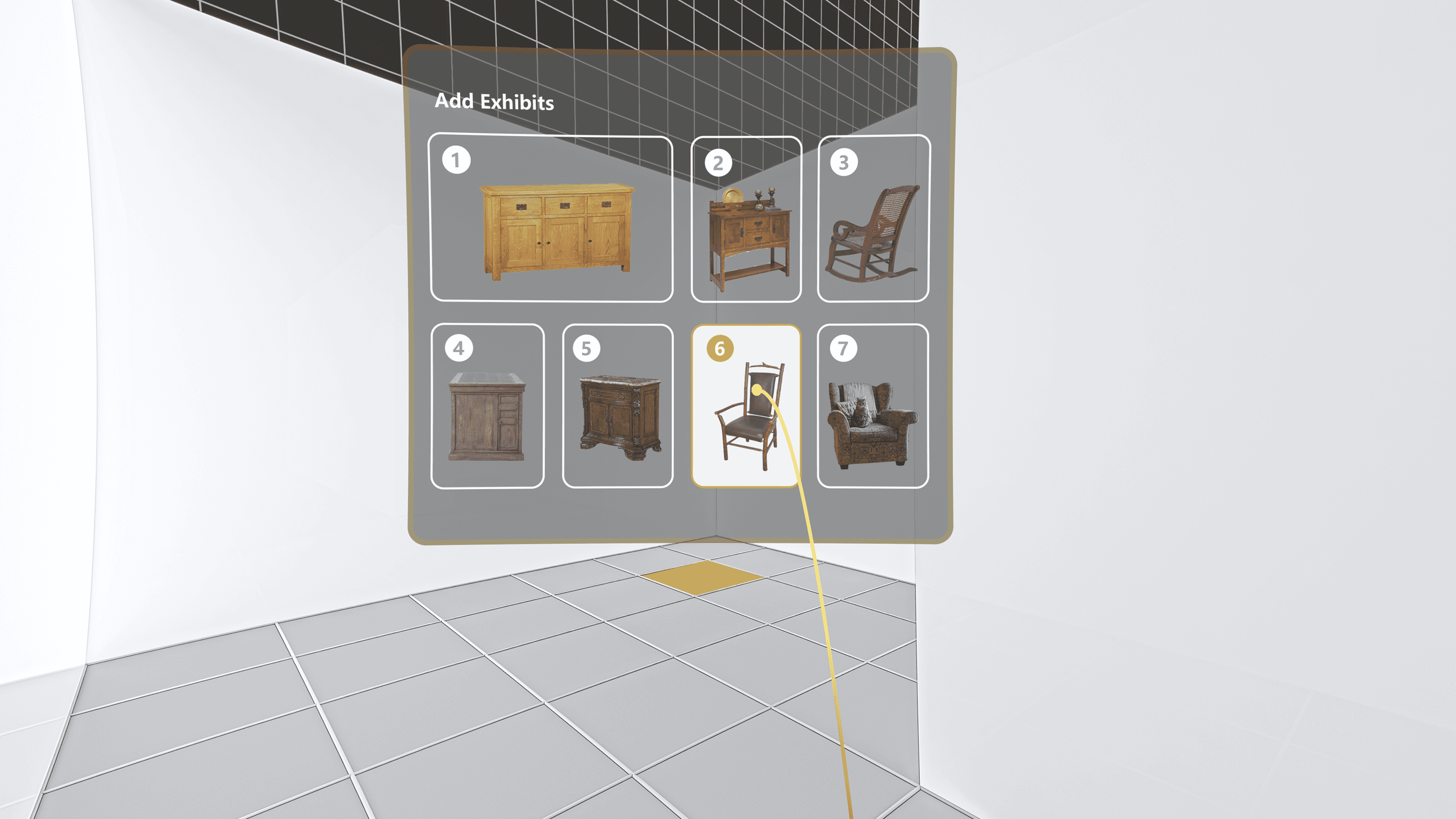
Exhibition Editing
Within the immersive VR interface, users can freely design their personalized exhibition spaces. They can select, place, and arrange exhibits, edit titles, descriptions, and the order of items to craft meaningful narratives and emotional expressions. Each exhibition becomes a unique virtual curatorial experience.